Rediscover your music
No expertise needed: Laïyana explains what you’re hearing, and brings back the joy of a record in your hands: the sleeve, the booklet, the spinning vinyl.
Free · no account · no ads
The signal path never lies.
Your collection stays on your PC.
Your records become objects again.
Lyrics,
and the vinyl spinning
While you listen, the cover takes the whole screen, the vinyl slides out and spins, lyrics scroll in time. Move the mouse and everything comes back.
- Synced lyrics
- Credits: production, mixing, guests
- The signal path in one click

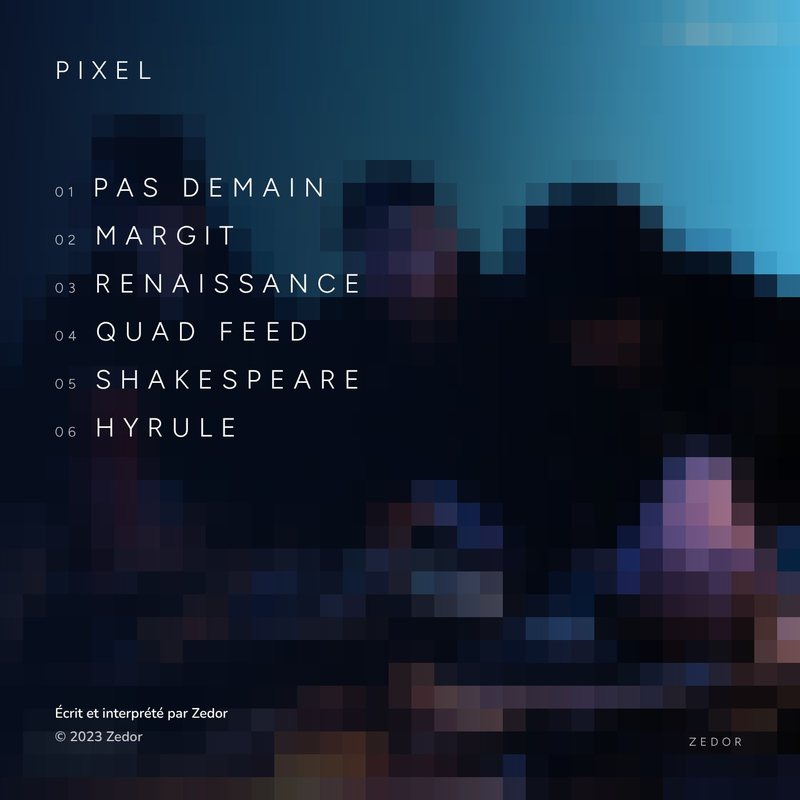
Hyrule
Zedor · Pixel
Hi-Res 96 kHz · 24 bits · Bit-perfect
Your records,
as if in your hands
With Sleeve, the cover opens full size, tilts under your hand and flips over to its back. Its booklet turns page by page, right in the app: Laïyana finds the scans and PDFs stored with your music on its own. And in Flow, your collection scrolls like a record shop crate.
- The cover full size, tilted as if held
- Your booklets, scans or PDF, right in the app
- Flow, full screen

Bit-perfect,
and it proves it
In studio mode, Laïyana talks straight to your sound card or DAC, bypassing the Windows mixer. The signal path shows every step, from the file to your card, and only says “Bit-perfect” when nothing has touched the sound.
- WASAPI exclusive and ASIO
- DSD over DoP
- Careful resampling when needed
Your whole collection,
at a glance
Your albums in a grid, covers first. Click one and its preview opens in place, in the colours of its cover: its tracks are right there, without leaving the grid.
- Thousands of albums without slowing down
- Preview without leaving the grid
- One letter, and you are there
Your year
in music
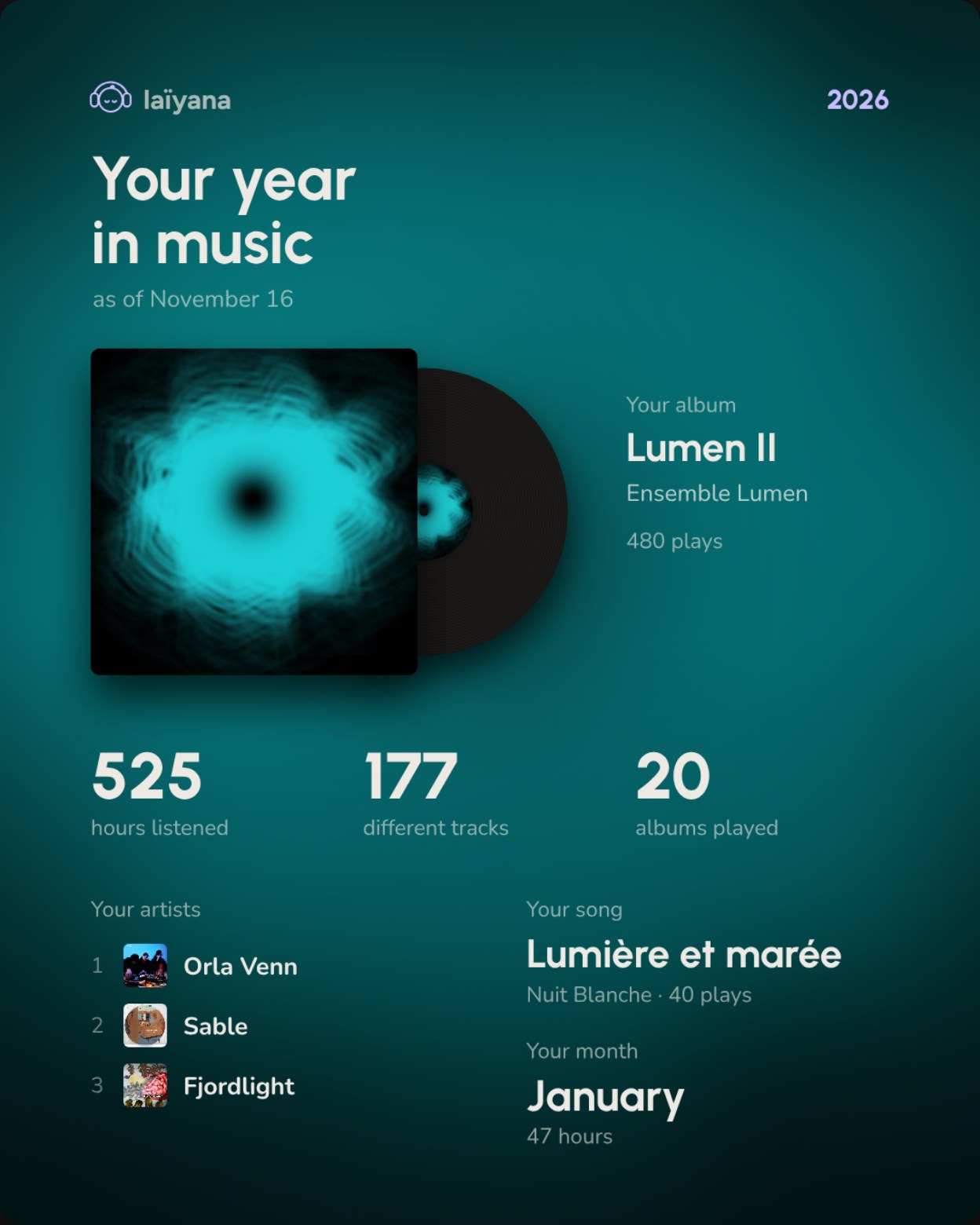
A poster drawn from your listening: your album, your artists, your song, your month. It is computed on your PC, nothing goes online, and you save it as an image if you want to show it.
- The year, or a single month
- Computed on your PC
- Save it as an image
And everything else
Listening
- Full-screen lyricsFull screen, over the blurred cover.
- ReplayGainThe same volume from one album to the next.
- Gapless playbackLive albums flow as they do on the record.
- Smart shuffleIt spreads artists and albums evenly.
- Sleep timerMusic fades gently, then stops.
- Mini playerA small window, and your media keys.
- FavouritesThe albums you love, in a row of covers.
- Last.fmYour plays sent to your profile, if you want.
Your collection
- DuplicatesThe MP3s of your FLACs spotted, gigabytes freed.
- New arrivalsYour latest additions first.
- Hi-ResYour true high-resolution files, together.
- Lyrics for everythingFetched for your whole collection.
- TagsTitles, years, covers, with Undo.
- Unplugged drivesWhat is not plugged in stays there, greyed.
- YearsYour collection sorted by release year.
- ArtistsAs bubbles; on their page, photo, bio and albums around.
Day to day
- PlaylistsM3U8 import and export, drawn covers.
- My dataYour plays and playlists, on another PC.
- WindowsMedia keys, buttons under the taskbar preview.
- Double-clickA FLAC opens straight in Laïyana.
- Small glossaryThe words of sound, explained simply.
- French and EnglishThe app speaks your language.
FLAC · ALAC · WavPack · APE · WAV · AIFF · DSF · DFF · MP3 · AAC · Ogg Vorbis
Free, then Pro
Free, and complete
Everything you saw above, except headphone correction, is free and will stay free. No account, no ads, no collection limit.
- Bit-perfect playback, WASAPI exclusive, ASIO, DSD
- Sleeve, Flow, booklets, lyrics, credits
- Parametric equalizer
- Duplicates
- Your year in music
- Updates included
Laïyana Pro, coming later
An optional Pro, later, for what tunes the sound. One licence, no subscription. It grows over time: new features arrive with each version, included in your licence.
- Headphone correction
- Quality check for your collection
- Player sync
Nothing that’s free today will ever move to Pro.
Tell me when it is outOne message only, on release day, to contact@laiyana.app
Questions
Do I need a DAC?
No. In studio mode, Laïyana plays bit-perfect on your computer’s sound card. A DAC and good headphones let you hear everything your files hold, especially in Hi-Res.
What is the difference between WASAPI exclusive and ASIO?
Both bypass the Windows mixer. WASAPI exclusive works with every card; ASIO goes through your DAC maker’s driver.
Does my collection stay on my PC?
Yes. Laïyana reads your folders, moves nothing without asking, and never sends it anywhere. Online lookups (artist info, lyrics) are off by default, need no account and only send names and titles.
Where does Laïyana find booklets?
With your music, with nothing else to install: the scans in the album folder and its image subfolders (Scans, Artwork, Booklet…), in name order, and PDF booklets, page by page. The cover alone does not count as a booklet. An album preview shows its page count, the grid has a “With booklet” filter, and you leaf through them full size in Sleeve.
What about Mac or Linux?
Not yet: Laïyana is made for Windows first, where it talks straight to your sound card. A Mac version will come later, funded by Pro (I’ll need a Mac to build it). No date promised.
What’s the catch?
Laïyana is free, no account, no ads. An optional Pro will come later (headphone correction, quality check, player sync). Nothing that’s free today will ever move to Pro.
I just want to play a file.
Open a file, it plays. Sort your music whenever you like: double-click a track or drop it on the window, and Laïyana plays it right away, nothing to sort first. Your library can wait.
I found a bug.
Press Ctrl + Shift + R in the app: a report is copied. Paste it into an issue on GitHub, or email it to contact@laiyana.app.